Network Video Recorder (NVR) System Installation in Jaipur
Upgrade your security with a professionally configured NVR surveillance system. Ganpati Infotech provides IP camera integration, PoE networking, recording storage and remote viewing solutions for homes, offices, commercial spaces and industrial premises.
What Is a Network Video Recorder?
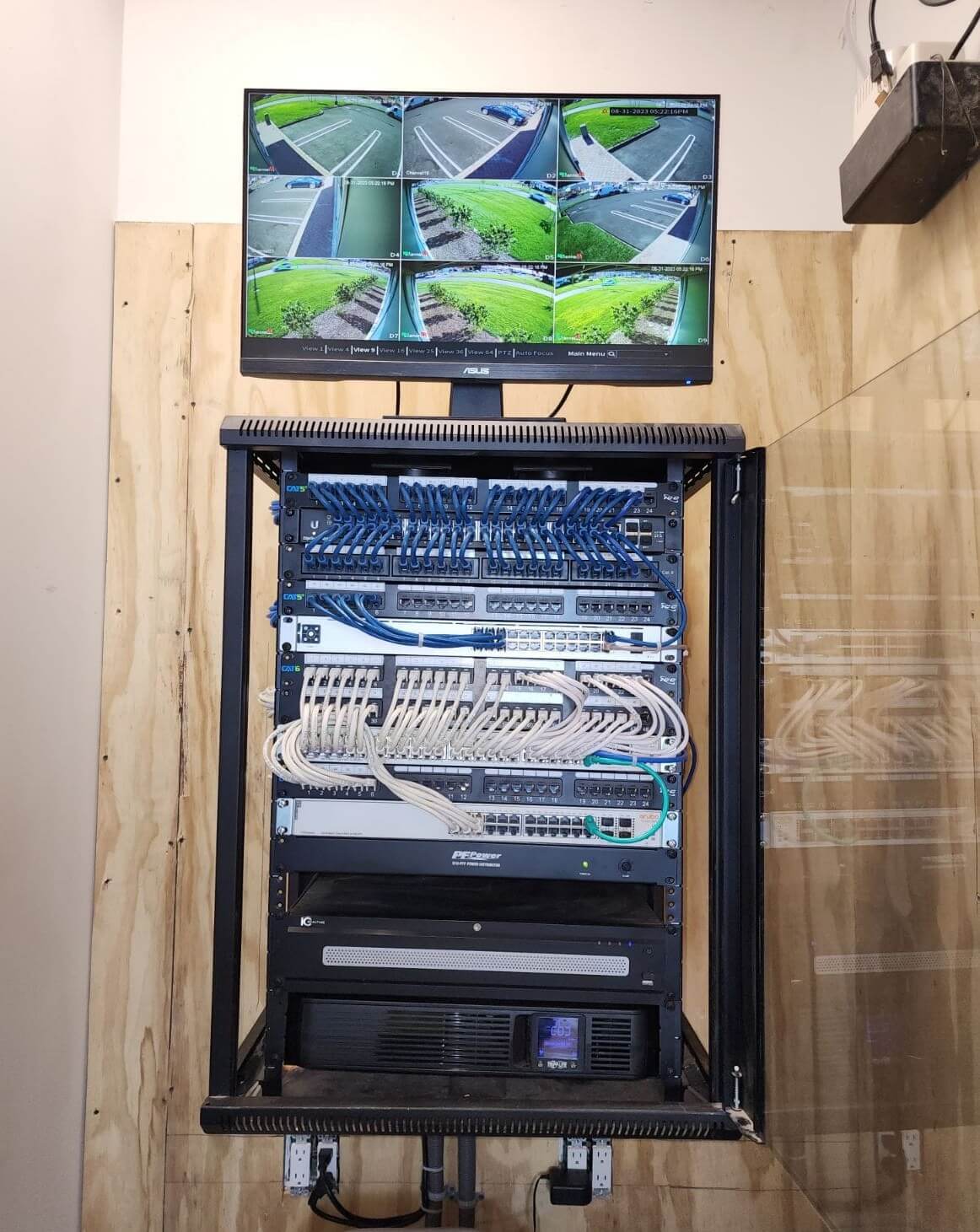
A Network Video Recorder (NVR) is a recording device designed to work with IP-based CCTV cameras. It receives video streams through a network connection, records footage to an internal hard disk and allows users to view live or recorded video through a connected monitor or compatible application.
An NVR system is suitable for installations that require high-resolution IP cameras, structured networking, flexible camera placement and centralized video management.
- Supports compatible IP network cameras
- Centralized live viewing and playback
- Expandable camera channels, subject to recorder capacity
- Optional built-in PoE ports on selected models
- Remote access through supported apps and network configuration

Important Components of an NVR CCTV System
A reliable IP surveillance setup combines recording equipment, network connectivity, storage and compatible cameras. We help plan the complete configuration according to your site.
NVR Recorder
The central recording unit receives IP camera streams, manages connected channels and stores video footage on the installed surveillance hard disk.

PoE Network Switch
A Power over Ethernet switch can supply network connectivity and electrical power to compatible IP cameras through a single Ethernet cable.

Surveillance HDD
A dedicated surveillance hard disk is used for continuous video recording. Required capacity depends on camera count, resolution, frame rate and retention period.

IP CCTV Cameras
Choose compatible bullet, dome, turret or PTZ cameras according to indoor or outdoor conditions, viewing angle and monitoring requirements.
Network Rack & Cabling
Structured Cat6 cabling, patch panels, rack accessories and proper cable management help keep larger surveillance installations organized.
Monitoring Display
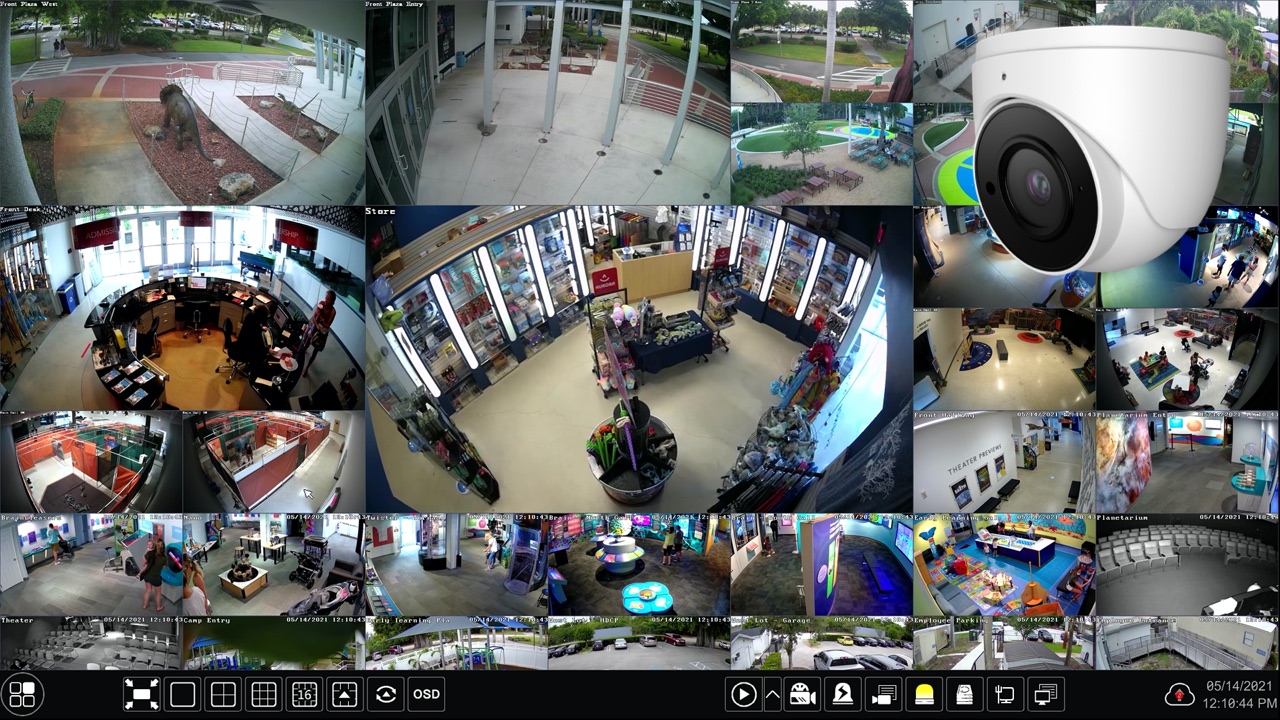
A compatible monitor connected to the NVR can display multiple camera feeds and provide access to live viewing, playback and system settings.
Product photographs are illustrative. Actual equipment, brand, model and specifications will depend on the approved project configuration.
How an NVR Surveillance System Works
IP cameras transmit digital video over the network to the recorder. The NVR manages recording and playback, while authorized users can access the system locally or remotely.
Choose the Right NVR Channel Capacity
The correct channel capacity depends on the number of cameras required today and the possibility of future expansion.
Channel count, supported resolution, decoding capability and storage capacity vary by NVR model.
PoE NVR vs NVR with External PoE Switch
Some NVR models include built-in PoE ports, allowing compatible cameras to connect directly to the recorder. Other installations use a standard NVR with a separate PoE switch.
NVR with Built-in PoE
- Direct connection for compatible PoE IP cameras
- Fewer separate networking devices in suitable installations
- Convenient for compact camera systems
NVR with External PoE Switch
- Flexible network layout for larger sites
- Can support additional network equipment
- Switch port count and power budget can be selected separately
Important Features to Consider in an NVR System
We help select a recorder based on camera compatibility, network requirements, storage needs and the way your site will be monitored.
High-Resolution Recording
Choose an NVR that supports the resolution and stream requirements of your IP cameras.
HDD Storage Support
Check the number of SATA bays and maximum supported hard disk capacity.
PoE Connectivity
Built-in or external PoE networking can simplify camera connectivity and installation.
HDMI / VGA Output
Connect a compatible monitor for local live viewing and recorded footage playback.
Video Playback
Search and review recorded footage using the playback features supported by the recorder.
Remote Viewing
Access live and recorded video through supported applications and properly configured networks.
NVR CCTV Solutions for Different Applications
IP-based NVR systems can be designed for a wide range of premises, from small installations to large multi-camera sites.
Residential Buildings
Monitor entrances, driveways, parking areas, common spaces and property boundaries.
Offices & Corporate Spaces
Centralized surveillance for reception areas, workspaces, corridors and access points.
Retail & Showrooms
Monitor billing counters, display areas, stock rooms and customer entry points.
Warehouses
Cover loading bays, storage aisles, gates and other operational areas.
Factories & Industries
Plan surveillance across production floors, perimeter zones and utility areas.
Institutions & Hospitals
Configure camera coverage for corridors, entrances, parking and common areas.
NVR Installation Services in Jaipur
Ganpati Infotech provides CCTV and IP surveillance installation services in Jaipur. We help customers select suitable NVR equipment, compatible IP cameras, networking accessories and recording storage according to their premises and security requirements.
- Site assessment and camera placement planning
- NVR and IP camera compatibility checks
- PoE switch and network cabling installation
- Hard disk installation and recording configuration
- Monitor setup and mobile viewing assistance
- System testing and handover support
NVR CCTV Installation Process
From initial planning to final testing, each stage is considered to ensure a properly configured surveillance system.
Site Inspection
Understand the premises, camera locations, cable routes and security coverage requirements.
System Planning
Select the NVR channel capacity, IP cameras, PoE equipment and recording storage.
Installation
Install cameras, network cabling, recorder, storage and required accessories.
Testing & Handover
Verify recording, playback, camera connectivity and remote viewing where configured.
Professional Network Video Recorder System in Jaipur
If you are planning an IP CCTV installation, choosing the right Network Video Recorder system is an important part of the project. The recorder should be compatible with the IP cameras, provide suitable recording performance and offer enough storage for your required retention period.
Ganpati Infotech assists with NVR camera installation in Jaipur, PoE NVR installation, IP camera networking, surveillance hard disk configuration and remote CCTV viewing setup. We work with residential, commercial, institutional and industrial requirements.
Whether you need a compact 4-channel recorder or a larger multi-channel NVR surveillance system, our team can help plan a suitable configuration based on your site and budget.
Areas We Serve in Jaipur
Residential societies, commercial markets, offices, warehouses, factories, institutions and other premises across Jaipur.
Need an NVR CCTV Quote?
Share your camera quantity, site details and preferred requirements with our team.
WhatsApp Ganpati InfotechNVR CCTV System FAQs
Answers to common questions about network video recorders and IP camera systems.
What is the difference between NVR and DVR?
An NVR is designed for IP network cameras and receives digital video streams over a network. A DVR is generally used with compatible analog CCTV cameras connected through coaxial cabling.
Can an NVR work without a PoE switch?
Yes. An NVR with built-in PoE ports can connect directly to compatible PoE cameras. A standard NVR can also work with a separate PoE switch or suitable network infrastructure.
How many cameras can be connected to an NVR?
It depends on the recorder's channel capacity. Common options include 4, 8, 16, 32 and 64 channels. Check the supported camera resolution and bandwidth before selecting a model.
Can I view NVR cameras on my mobile phone?
Many NVR systems support mobile viewing through a compatible application. Remote access depends on the recorder, network configuration, internet connectivity and security settings.
Which hard disk is suitable for an NVR?
A surveillance-grade hard disk designed for continuous video recording is generally recommended. The required capacity depends on the number of cameras, resolution, recording schedule and retention period.
How long does an NVR store CCTV footage?
Retention depends on hard disk capacity, number of cameras, recording resolution, frame rate, compression, motion-based recording and other settings. Storage should be calculated for the required retention period.
Does Ganpati Infotech provide NVR installation in Jaipur?
Yes. Ganpati Infotech provides NVR and IP CCTV installation services in Jaipur, including camera integration, networking, storage configuration and remote viewing assistance.
Looking for NVR Installation in Jaipur?
Contact Ganpati Infotech for an NVR CCTV system consultation and project quotation.